> For the complete documentation index, see [llms.txt](https://docs.zeupiter.com/llms.txt). Markdown versions of documentation pages are available by appending `.md` to page URLs; this page is available as [Markdown](https://docs.zeupiter.com/welcome-to-zeupiter-docs.md).
# Welcome to Zeupiter Docs
**Ready** to **Set** and **Deploy**, we are here for you folks. Zeupiter is an AI based multi-cloud platform that gives you a complete control over your cloud infrastructure, easily switching between clouds, avoiding dependence on single provider, selecting optimal pricing packages, and gaining better spending visibility – all without needing specialized knowledge of each provider’s tools and API's.
> "Our Mission is to simplify the overengineered space in the sky."
{% hint style="info" %}
Zeupiter is in `Beta`, and you may encounter some rough edges. Our very small team is continuously improving, adding features, and addressing platform bugs and vulnerabilities. Please report any issues via the [Feedback](https://www.zeupiter.com/settings/feedback) input in your settings page.
{% endhint %}
### Can my data be recovered once I've terminated my instance?
Once you terminate your instance, we cannot restore your data. Therefore, before ending your instance, ensure you backup any data you wish to retain. Make sure to take snapshots before something wrong happens,
Additionally, if you aim to preserve data beyond the termination of your instance, consider establishing a persistent storage file system.
### Which SSH key formats are accepted?
The dashboard supports adding SSH keys in these formats:
* OpenSSH (default format for ssh-keygen)
* RFC4716 (used by PuTTYgen when saving a public key)
* PKCS8
* PEM
Know more about SSH here: [Connect to Instance](/on-demand-multi-cloud/compute/instances/connect-to-instance.md)
### How do I close my account?
To delete your Zeupiter cloud account, ensure there are no active resources across any cloud providers and no outstanding unpaid invoices. If your account meets these criteria, proceed with the following steps:
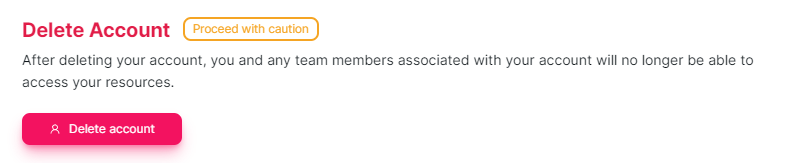
Navigate to **My Account** under **Settings** in the Zeus dashboard, review the warning message and press to hold for 10 sec on "**Delete account**"